Record a dog’s allergies
SOP GRM-07 · Groomer manual
1 Purpose
Record what a dog is allergic to, so every groomer sees it before anything goes on the dog.
2 Applies to
Every groomer, whenever an owner, a vet or the shop learns of an allergy. Anyone may add an allergy or change one. No manager needs to be on duty.
3 Before you begin
- You are signed in to your profile.
- The dog’s card is open. See GRM-02 Check in a dog, steps 2 to 4.
4 Procedure
4.1 Add an allergy
Find the Allergies box on the dog’s card. Click + Add at its top right. The allergy form opens.
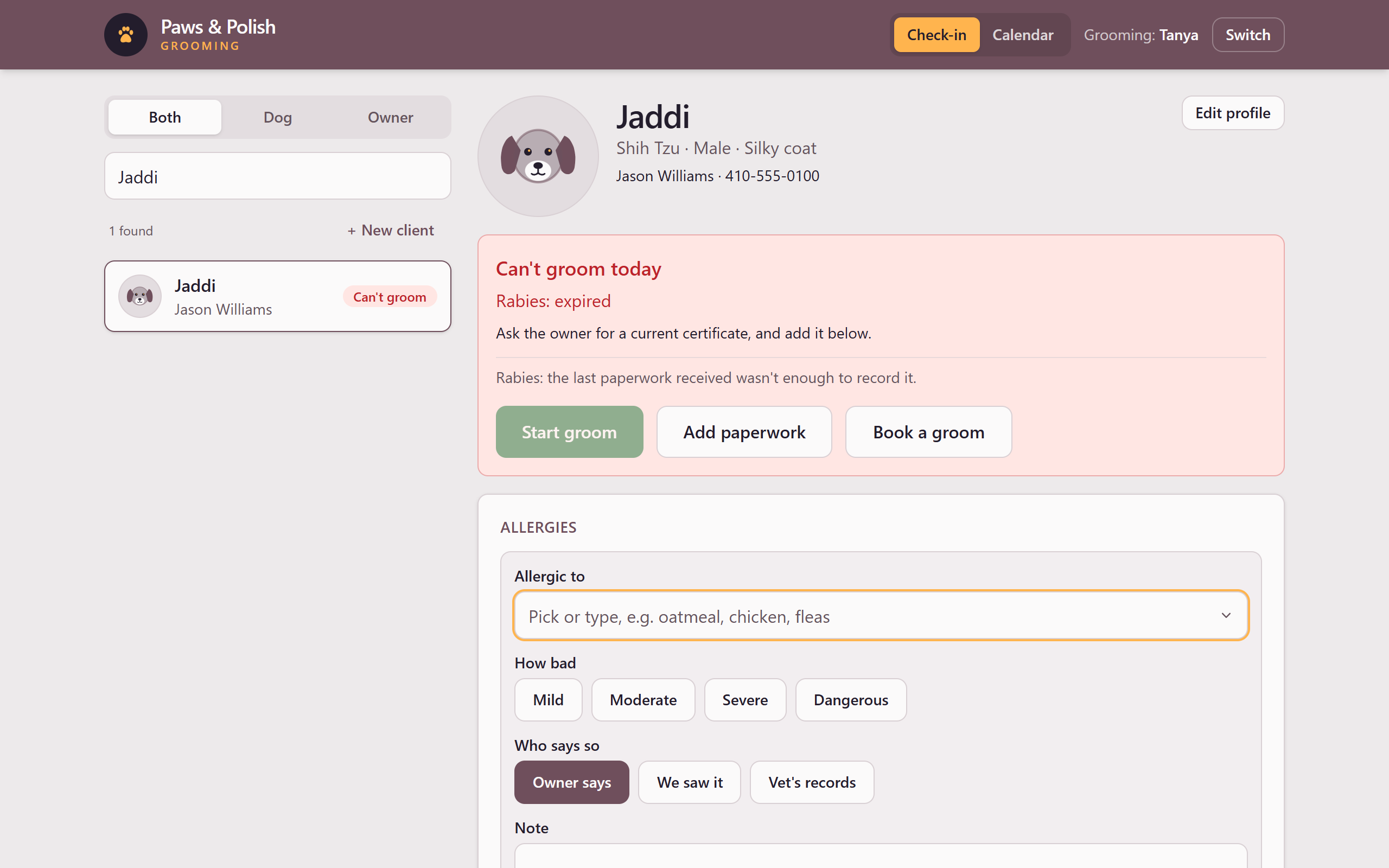
Adding an allergy Click Allergic to and choose the allergy from the list, or type it, for example oatmeal, chicken or fleas.
If what you typed is not on the list, the form says it isn’t on the allergy list. Click one of the names after Did you mean, or click No, it’s one the list doesn’t have. For a new allergy, the form asks What kind of allergy is it: click Contact, Flea, Environmental or Food.
Under How bad, click Mild, Moderate, Severe or Dangerous.
Under Who says so, click Owner says, We saw it or Vet’s records.
If useful, click Note and type what happens or what to use instead.
Click Add allergy. The allergy appears in the Allergies box, and the box’s title turns red.
4.2 Change an allergy
- In the Allergies box, click Change beside the allergy.
- Change How bad, Who says so or Note.
- If you made it less severe, click Why? and type the reason, for example “vet says it was a one-off”. The reason is required, and a manager reviews the change.
- Click Save.
4.3 Take an allergy off
- In the Allergies box, click Change beside the allergy.
- Click Take this allergy off.
- Click Why? and type the reason, for example “entered on the wrong dog”. The reason is required, and a manager reviews the change.
- Click Take it off. The allergy is removed from the Allergies box.
5 Result
The Allergies box on the dog’s card lists every current allergy, how bad it is, and who says so.