Edit a dog’s or owner’s details
SOP GRM-05 · Groomer manual
1 Purpose
Correct or update the details on file: the owner’s name, phone number or email, and the dog’s name, breed, coat, sex or birthday.
2 Applies to
Every groomer, whenever a detail on file is wrong or has changed, for example when an owner gives a new phone number.
3 Before you begin
- You are signed in to your profile.
- The dog’s card is open. See GRM-02 Check in a dog, steps 2 to 4.
4 Procedure
Click Edit profile at the top right of the dog’s card. The Edit form opens with the dog’s name, showing everything on file.
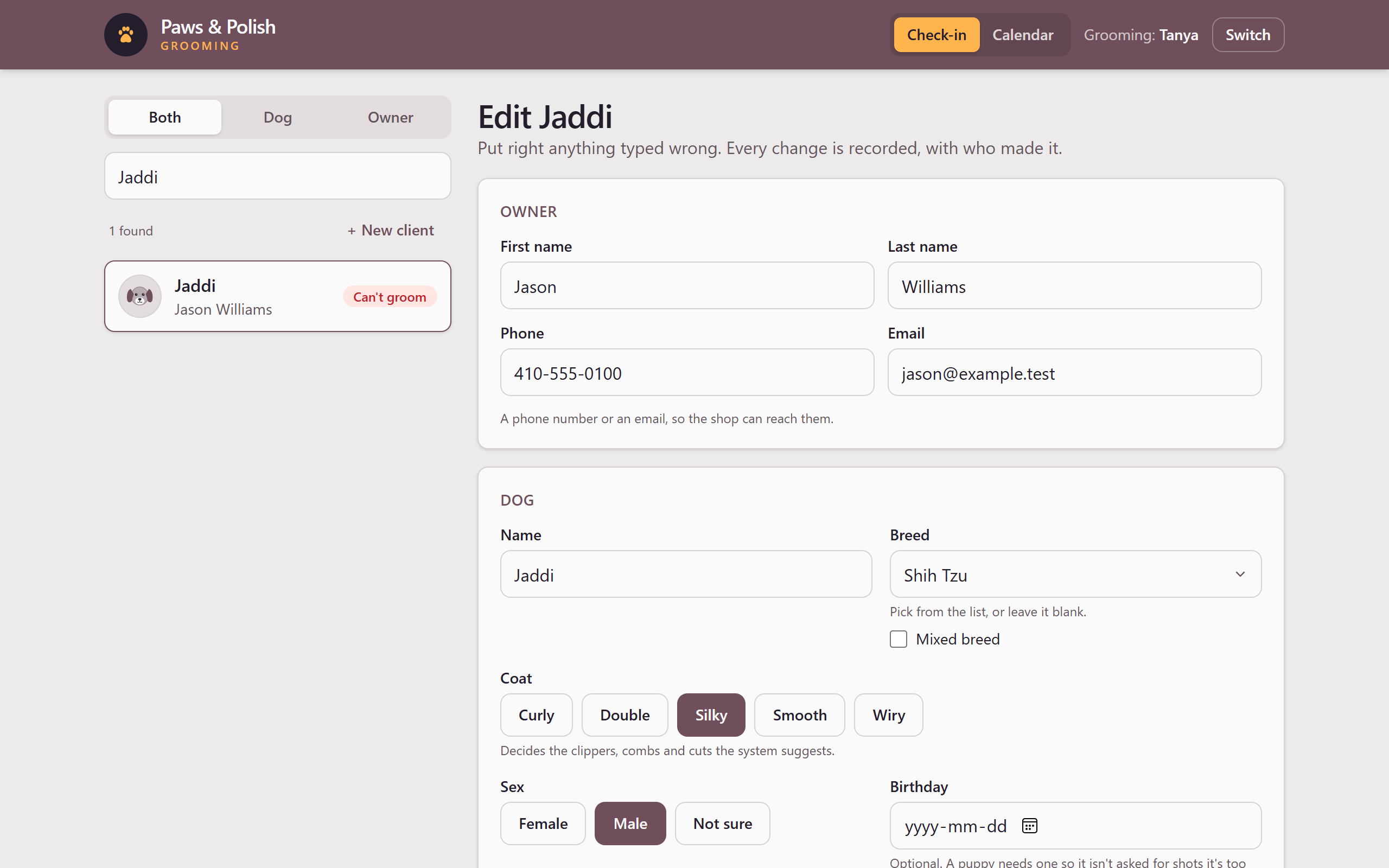
The Edit profile form To change the owner’s contact details, go to the Owner box:
- Click Phone, delete the old number, and type the new one.
- Click Email, delete the old address, and type the new one.
- To correct the owner’s name, click First name or Last name and type the correction.
To change the dog’s details, go to the Dog box and change the field that is wrong. The fields work the same way as when the client was added. See GRM-03 Add a new client, steps 5 to 9.
Click Save changes. The form closes and the dog’s card shows the new details.
To leave without changing anything, click Cancel.
If the owner has more than one dog, the form says The owner’s details are shared with the other dogs’ names. A change to the owner’s name, phone or email shows on every one of their dogs’ cards.
5 Result
The dog’s card shows the corrected details. The system records each change, what it was before and after, and who made it.
6 If something goes wrong
6.1 Save changes cannot be clicked
Nothing on the form has changed yet, or no coat is chosen. Change the detail you meant to change, and make sure a button under Coat is selected.