Open Admin
SOP MGR-02 · Manager manual
1 Purpose
Open Admin, the shop’s to-do list for managers: paperwork waiting to be verified, hand checks waiting for a second look, and changes to review.
2 Applies to
Managers only. Admin does not open for a groomer’s profile.
3 Before you begin
- You are signed in to your own profile. See MGR-01 Sign in to your profile.
- You have a passkey (your fingerprint, face or phone) or an Admin PIN set up.
4 Procedure
Click Admin at the top of the screen, next to Check-in and Calendar. The screen shows 🔒 Admin is locked and Prove it’s you, followed by your name.
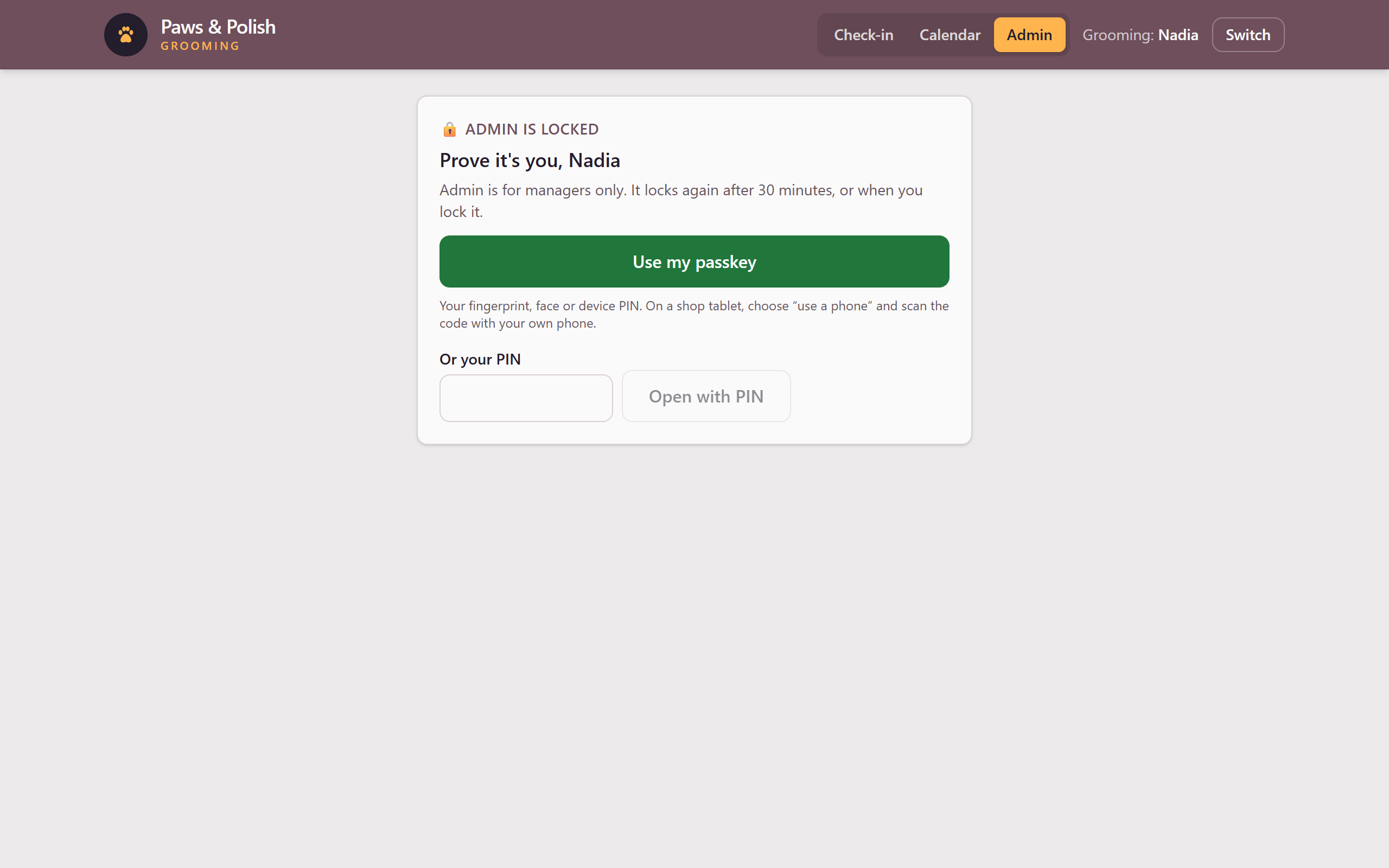
Admin, locked Open Admin in one of two ways:
- With a passkey: click Use my passkey, then follow the prompt on your device. On a shop tablet, choose use a phone and scan the code with your own phone.
- With a PIN: click the Your PIN box, type your PIN, then click Open with PIN.
Admin opens.
5 Result
A green bar at the top of Admin shows 🔓 Admin open for your name, and the time at which Admin locks again.
6 When you are finished
Click Lock Admin in the green bar. If you do not, Admin locks by itself after 30 minutes.
7 If something goes wrong
7.1 Set up how you open Admin
This is the first time this profile has opened Admin. Click Set up a passkey, or type a PIN of 4 to 8 digits in Set a PIN and again in Again, then click Set PIN. After this, only you can change them.
You also see this after another manager resets your Admin access. See MGR-10 Reset a manager’s Admin access.
7.2 The two PINs don’t match.
The PIN typed in Again is different from the first one. Type both again.